
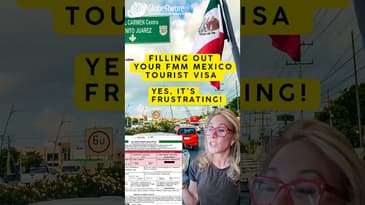
- Have your passport ready while filling out. Must have at least 6 months of validity from your date of travel.
- Do NOT begin the process until you are within a week of your arrival.
- Print all documents.
- Disable pop-ups for the website on your web browser.
Note that the date format is likely to be presented in a different order than you are accustomed.
STEPS
Step 1
Start here: https://www.inm.gob.mx/fmme/publico/solicitud.html
This is the official government page to obtain your FMM (Forma Multiple Migratorio/Multiple Immigration Form).
Choose EN in the upper right for English, then press the + sign for LAND to continue to the next page. Agree to the terms by checking the box at the bottom of the next page
The ENTRY Information Form is pretty self-explanatory, though the very first data field can often be translated badly to things like “Hospitalization route” rather than “Means of Entry.” When you click on the drop-down, if it says “by land,” then this is the means of entry field. You’ll need the name and address of where you are staying and the state and town of your point of entry.
At the end of this portion, you will be given a number for your immigration form. Save this and print it to bring with you at the border crossing. You will also need to enter this number into the next step in the process
Step 2
Go to the Portal Services page: https://www.inm.gob.mx/spublic/portal/inmex.html
This page often needs you to reset/refresh, reload by pressing F12, if the logos don’t appear to click on.
Click “Portal of Services.”
Close the pop-up that will remind you what to have on hand.
Create an account (or log in if you already have one) using the EMAIL option.
The account information must match your passport information.
Nationality in Spanish for the USA may say “Estadounidense” and “Country code” for phone likely to say “Estado Unidos de America +1.”
After you have submitted and then verified your email (you may need to check your spam folder).
Step 3
Go BACK to the Portal Services page referenced in Step 2, log in, and this time choose “Pago en linea” (Pay online).
Choose FMME for the payment method. Click “iniciar Proceso” (Start process). Click ok AGAIN.
Now you are on the Page En Lina/Online payment verification page.
Enter the immigration # you were assigned in Step 1, then click “Buscar” for it to find your name in the system. You will see your passport number.
For “Concepto field,” choose “Visitante sin actividades remuneradas turista” (Visitor without paid tourist activities).
The “Monto a Pagar” (Amount to Pay) will appear toward the bottom, and you will choose “Proceder al Pago” (Proceed to payment). Pay approx $60-70 (or 983 pesos).
Choose OK on the notification that pops up, letting you know that you will be directed to the Portal de Pagos Electronicos (Electronic Payment Portal page).
Once submitted successfully, print this page showing proof of payment. It should also come to you via email.
Click “Terminar” to finish.
There may be a notice that tells you they will email you the finalized FMM form, which results from the above process, but many do NOT receive it. However, the initial email you get from Step 1 contains a link you can click on that will take you back to your account to see and download that form.
Apparently, if you have proof of payment and your immigration form # created for this specific trip in Step 1, they can look you up that way as well
----------------------------------------------------------------------------------
See the latest updates on our international programs:
Instagram: https://www.instagram.com/globeaware/
Twitter: https://twitter.com/GlobeAware
Facebook: https://www.facebook.com/globeaware
Book your volunteer vacation today: www.globeaware.org